 | Logo by Liksmaskaren (anonymous IP: 10.3.234.187,0) | |||||||||||
| ||||||||||||
 Audio (352) Datatype (51) Demo (214) Development (629) Document (24) Driver (103) Emulation (156) Game (1063) Graphics (516) Library (123) Network (243) Office (69) Utility (962) Video (74) Audio (352) Datatype (51) Demo (214) Development (629) Document (24) Driver (103) Emulation (156) Game (1063) Graphics (516) Library (123) Network (243) Office (69) Utility (962) Video (74) Total files: 4579 Full index file Recent index file
Amigans.net OpenAmiga Aminet UtilityBase IntuitionBase AmigaBounty
Support the site
|
[Show comments] [Show snapshots] [Show videos] [Show content] [Show crashlogs] ============================================================================
SLOVO
Version 0.8.8
============================================================================
INTRODUCTION
------------
Slovo is a lightweight, and fast word processor designed for Amiga-like
operating systems (AmigaOS 3/4, MorphOS, AROS). Built with Hollywood and
RapaGUI,
it offers a native look-and-feel with advanced typography, multi-column layouts,
and automatic document management.
TECHNOLOGIES & REQUIREMENTS
---------------------------
- RapaGUI plugin (GUI engine)
- Native system TrueType font support
- Hollywood framework engine
Requirements:
- AmigaOS 3.0+ / AmigaOS 4.x / AROS / MorphOS
INSTALLATION
------------
Simply copy the Slovo drawer to your hard drive or system volume.
Make sure the required fonts are present in their respective directories.
FEATURES
--------
File Formats & Document Management
* Custom Slovo Document format (.slv) preserving fonts, margins, alignments,
and two-column structures
* Open/Save documents with UTF-8 encoding
* Built-in Autosave engine: Background interval-based saving (1-15 min)
with status notification
* Recent Files history: Quick access to up to 10 previously opened documents
via a native list selector
* Persistent configuration stored in PROGDIR:slovo.prefs
Page Layout & Formatting
* Configurable left and right margins (in millimeters)
* Multi-column layout support (1 or 2 columns)
* Real-time document recalculation and word wrapping
* Page ruler support and dynamic scroll clamping
* Paragraph alignment: Left, Center, Right, Justified
Tables
* Insert tables with a custom number of rows and columns
(optional header row) via the table dialog, or directly with
[tbl:...] markup
* Resize table width and column borders directly on the page ruler
by dragging - both outer edges stay locked to the page margins
* Merged cells, header rows, and per-cell alignment
* Insert Row / Insert Column add a row or a column after the selected
one; the new column takes the average width of the existing ones and
the table keeps its total width
* Delete Rows / Delete Columns work on the selected cell block, or on
the row/column under the cursor when nothing is selected; vertical
merges shrink, horizontal ones collapse, and column proportions are
rescaled to the new column count
* Rendered in PDF export and converted to native tables in DOCX export
Table of Contents
* Automatic table of contents built from the H1-H3 heading styles
(Insert -> Table of Contents); re-run the command to update it
* Entries shown with level indentation, dot leaders and the
page number of the referenced heading (screen and PDF export)
* Clicking an entry jumps the cursor to the heading
* Headings are now stored persistently in the document file and
exported as Word headings (DOCX/RTF) and Markdown #, ##, ###
* Backing markup block: [toc]...[/toc] with [toce:LEVEL;PAGE] entries
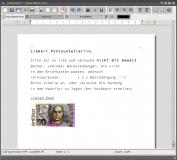
Floating Images (text wrapping)
* Insert an image anchored to the left or right column via
Insert -> Floating Image (Left / Right)
* Text automatically wraps around the image on the page; the image
does not consume vertical flow space (works in .slv and .slvx)
* Click the rendered image to jump the cursor behind it; Backspace
/Delete removes the whole block like any other image
* Backing markup block (own line): [fig:left;PATH] or [fig:left;PATH;W;H]
(side = left | right; W/H optional, natural size used otherwise)
* Rendered in PDF export; degrades to a plain inline image in
Markdown/RTF/DOCX export
Comments & Review
* Anchored document comments (Review menu) with author, date, and a
resolved/unresolved state
* Commented text is highlighted on the page with a margin marker;
hovering shows a tooltip with the author and the comment text
* A comment may span several runs, paragraphs, or table cells
* Comments without a matching anchor in the text are dropped on save,
and anchors left without metadata are treated as plain text
* Comment text, the author field, and every field separator are escaped,
so a comment may contain any characters, newlines, '~' and ';'
* Stored in the document as [cmt=ID]...[/cmt] anchors plus one
COMMENTS: line holding id~author~date~resolved~text records
separated by ';'
* Exchanged with other editors: native Word comments on DOCX
(word/comments.xml) and native RTF annotations
({*atnid}/{*atnauthor}), and imported from both
* Not carried over to Markdown or PDF export, which have no
equivalent annotation concept
Typography & Text Editing
* Dynamic TrueType font selection via dropdown menu
* Automatic font caching for high-performance rendering
* Rich-text support with instant DOM (Document Object Model) conversion
* Undo / Redo stack support
* Full clipboard integration (Cut, Copy, Paste)
* Hard page breaks (Ctrl+Enter) with support in SLV, SLVX, RTF, DOCX
and PDF export
* Smooth mouse scrolling, text selection, and precise cursor navigation
Hardware & Printing
* Integrated Direct PDF Print compatible networ printer setup
* Preferences window for hardware and autosave.
KEYBOARD SHORTCUTS
------------------
RAmiga+N New document
RAmiga+O Open document
RAmiga+S Save document
RAmiga+P Print document
RAmiga+Q Quit program
Ctrl+Enter Hard page break
Ctrl+C / RAmiga+C Copy text
Ctrl+X / RAmiga+X Cut text
Ctrl+V / RAmiga+V Paste text
Ctrl+Z / RAmiga+Z Undo
Ctrl+Y Redo
Arrow keys Navigate cursor
Shift+Arrows Extend selection
Home / End Go to start / end of line
Ctrl+M Add comment
Ctrl+Shift+E Edit comment
Ctrl+Shift+M Next comment
Ctrl+Alt+M Previous comment
Ctrl+Shift+R Toggle resolved
Ctrl+Shift+D Delete comment
CONFIGURATION (.prefs)
----------------------
Slovo automatically manages its preferences file in `PROGDIR:slovo.prefs`.
Parameters saved between sessions include:
* Printer IP address settings
* Autosave toggle (On/Off)
* Autosave time interval (in minutes)
* List of recent document paths (`Recent0` to `Recent9`)
HISTORY
-------
Version 0.8.8 (2026)
- Added page headers and footers
- Added Insert Row / Insert Column and Delete Rows / Delete Columns for tables
- Added document comments: anchored text highlights, margin markers,
hover tooltips, and a Review menu (add, edit, navigate, resolve,
delete); comment ranges may span runs, paragraphs and table cells
- Comments are saved in the document ([cmt=ID] anchors plus a COMMENTS:
line) and kept in sync with the text, so a deleted or duplicated
comment range cannot leave the document inconsistent
- Comments round-trip through DOCX as native Word comments
(word/comments.xml, commentRangeStart/End) and through RTF as
native annotations; both formats are also imported
- Fixed DOCX export of documents that contain only comments: the
relationship and the comments part are now written to the package
(word/_rels/document.xml.rels, [Content_Types].xml, word/comments.xml)
- Fixed comment export inside table cells and comment ranges crossing
a table, which previously lost the range or produced invalid XML
- Comments are read from and written to .slv and .slvx
Version 0.8.7 (2026)
- Improved tables
- Resize table width and column borders on the page ruler by dragging,
with outer edges locked to the page margins
- Added the "Insert Table" toolbar button
- Added an automatic Table of Contents (dot leaders + page numbers,
clickable entries, update on demand)
- Headings (H1-H3) are now saved with the document and exported
to DOCX/RTF as Word heading styles and to Markdown as #, ##, ###
- Added floating images with text wrapping (left/right anchored),
drawn clickable, removable with Backspace/Delete, and included
in PDF export ([fig:left|right;PATH;W;H] markup)
Version 0.8.6 (2026)
- Added tables
- Added versioning of the .slv file format (FORMAT:SLOVO / VERSION:1)
- Enforced consistent program version across source, readme and catalogs
Version 0.8.3 (2026)
- Initial public release
- Added native RapaGUI interface with preferences panel
- Implemented custom .slv file format with DOM parser
- Multi-column rendering support (1 to 2 columns)
- Background Autosave timer with configurable intervals
- Native Recent Files manager (`ListRequest` integrated)
- Network printer support setup in Preferences
- Dynamic TTF font loader and text-wrapping engine
LICENSE
-------
Slovo is released under the MIT License. The full text is in the
`LICENSE` file in the root of this repository, and it applies to the
program, its source and its documentation.
COPYRIGHT & CREDITS
-------------------
Copyright (c) 2026 Tomasz Paul.
Developed using Hollywood by Airsoft Softwair and RapaGUI plugin.
Toolbar icons used in the program come from the AISS package
by Martin Merz.
CONTACT
-------
E-mail: tomek()amiga.icu
Website: https://slovo.amiga.icu
Bug reports and feature requests are always welcome!
============================================================================
| |||||||||||||||||||||||||||||||||||||||||||||||||||||||||
| Copyright (c) 2004-2026 by Björn Hagström All Rights Reserved Amiga OS and its logos are registered trademarks of Hyperion Entertainment |